
Enable DoH3 and DoQ Support for Technitium DNS Server
Previously, I shared a post on setting up Technitium DNS Server and using acme.sh to issue SSL certificates. You might have noticed that Technitium supports both DoH3 (DNS-over-HTTP/3) and DoQ (DNS-over-QUIC). However, when trying to enable them, you may encounter an error indicating that libmsquic is required.
DNS-over-QUIC protocol support is not available on all platforms. On Windows, it is available only on Windows 11 (build 22000 or later) and Windows Server 2022. On Linux, it requires libmsquic to be installed.
Unfortunately, on Ubuntu 20.04, you can't install libmsquic directly using apt install libmsquic. Fortunately, the official blog provides a method to install it, which is preferred. I'll also include the process I followed to build it from source.
Official Installation Guide
Source: Configuring DNS-over-QUIC and HTTPS/3 For Technitium DNS Server
First, install the Microsoft Software Repository, then install libmsquic:
source /etc/os-release

wget https://packages.microsoft.com/config/$ID/$VERSION_ID/packages-microsoft-prod.deb -O packages-microsoft-prod.deb

sudo dpkg -i packages-microsoft-prod.deb

rm packages-microsoft-prod.deb

sudo apt update

sudo apt install libmsquic -y
Build From Source
The following steps are based on suggestions from ChatGPT and tested to work. Run each command as the root user:
# Clone the source code
git clone https://github.com/microsoft/msquic.git
cd msquic

apt update
apt install -y cmake clang ninja-build libssl-dev libkrb5-dev

# Initialize git submodules
git submodule update --init --recursive

# Create build directory and build
mkdir build
cd build
cmake .. -G Ninja -DCMAKE_BUILD_TYPE=Release
ninja
The built file will be located at ~/msquic/build/bin/Release/libmsquic.so.
# Install to system path
cp ~/msquic/build/bin/Release/libmsquic.so /usr/local/lib/

# Refresh dynamic linker cache
ldconfig
Restart Technitium DNS Server
systemctl restart dns.service
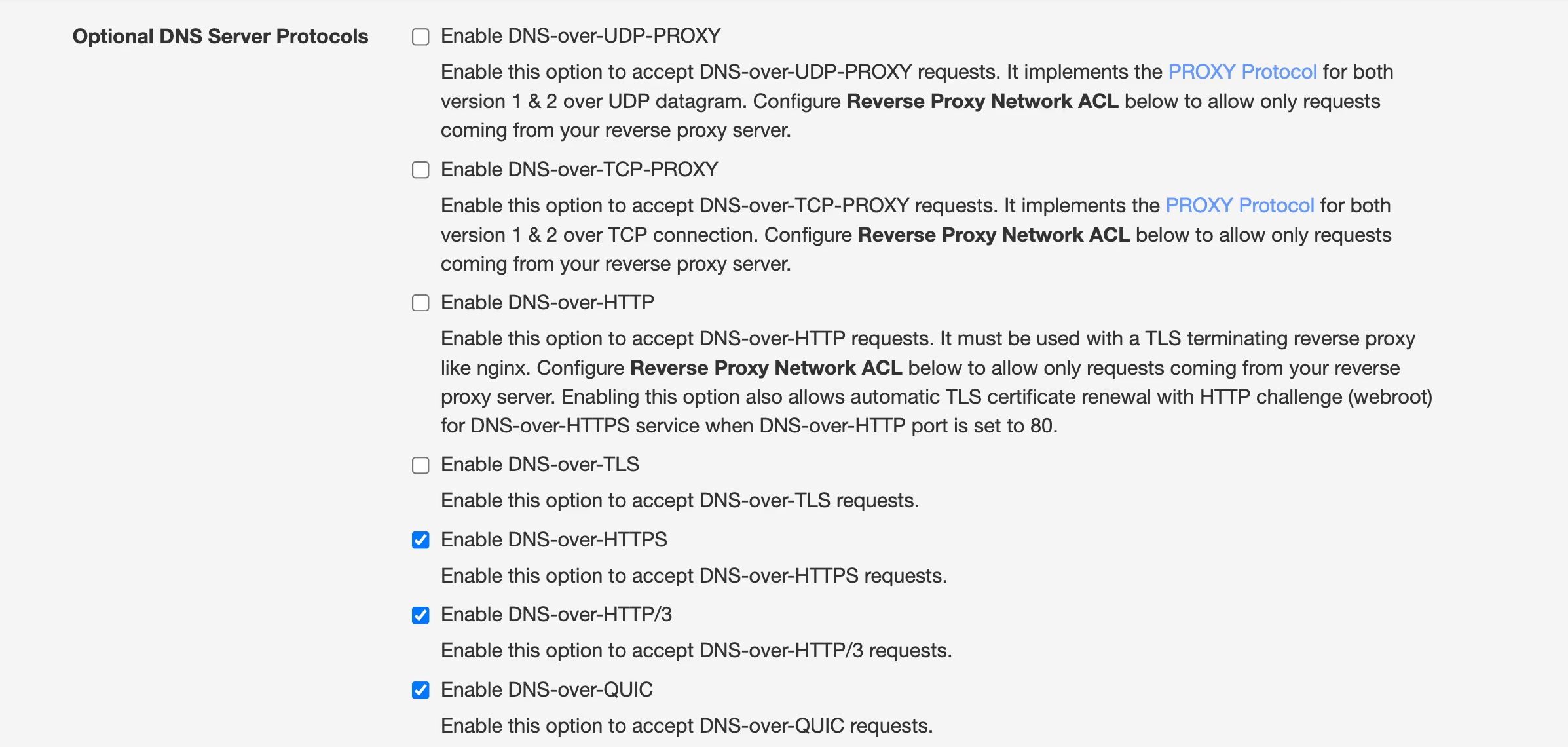
After restarting, go to the web UI and enable Enable DNS-over-HTTP/3 and Enable DNS-over-QUIC. You can also customize the ports. If you have a firewall enabled, make sure to allow the corresponding UDP inbound ports.
Again, the official blog provides an easier way to install libmsquic without building from source. Just install the Microsoft Software Repository and then install the package directly.
Reference: Technitium Blog – Configuring DNS-over-QUIC and HTTPS/3

Joomaen
"Closed Mind" is a personal blog focused on artificial intelligence, tech tinkering, and the blogger’s personal thoughts. It shares unique insights on AI development, browsers, and technical practices, making it ideal for readers interested in technology and future trends.